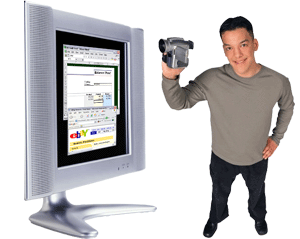
1. Have you ever wanted a virtual camcorder for your PC Screen? With ScreenCam, you've got it!
2. In the past, it was enough to use a combination of static screenshots and text to get across the straightforward knowledge needed to understand the computers of the day.
3. With the advent of personal computers, multimedia, Internet and graphics rich applications, things are dramatically more complex than before.
It is now unwieldy to try and use the same techniques to share how something works, and yet most people still use exactly the same explanatory techniques as 30 years ago! That's why we invented a new category of technology - the Screen Camcorder, ScreenCam.
4. With the technology of ScreenCam®, you can quickly create easy-to-understand ScreenCam® movies of virtually anything on your PC Screen. The technology is so simple to use, the PhotoShop demo you see above was created in under 5 minutes!
ScreenCam even goes beyond the concept of a physical camcorder. With ScreenCam, you can also cut out mistakes, add interactive buttons, web links, explanatory text, sound, pictures, and even join several ScreenCam® movies together to form a longer movie, or cut a ScreenCam® movie to form shorter movies and more. Everything is included in one revolutionary package.
5. ScreenCam® is the first in a new category of technology that is designed to give you elegant yet powerful control over creation of virtual camcorder movies, or ScreenCam® movies. Just take a look at the VCR/Camcorder interface and see how simple it is to use ScreenCam®.
6. Here's a close up movie showing the elegance and simplicity of this technology. To explore further, simply visit our download center, and download a fully-functional trial of ScreenCam®. It is a fully-functional evaluation package, with all of the speed, power, and convenience that make ScreenCam® the first true camcorder for your PC Screen. Click here to visit our download center, or click to purchase a copy at our secure store.